


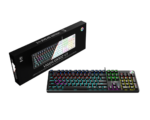
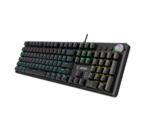
MSI VIGOR GK50Z V2 BLUE SWITCH GAMING FILAIRE RGB BLACK
10 900 DA
En rupture de stock
Detachable magnetic top cover: one keyboard, two experiences
- Install and disassemble as needed
- Diverse styles
- Easy to clean

Double-shot injection molded keycaps
ABS magnetic top cover
mechanical shaft
Metal knob
Metal brushed panel
PCB circuit board
ABS bottom shell
Sandwich structure design
The internal structure is clear and neat.
Replace and use immediately, no waiting required
Full hot-swappable keys. Includes 3 spare switches and a keycap puller.


*The spare shaft comes with a protective sleeve, which must be removed before installation.
Custom-tuned shafts
Linear red for a smooth gaming experience, quiet and silky-smooth tactile feedback
; tactile blue for a classic tone and crisp, tactile button feel.


Colorful lights are never absent
Adjust with a knob to easily switch between 20 lighting effects.

Multimedia buttons + knob
Rejecting complicated button combinations, focusing solely on ease of use.

Switch between dual modes at will

- Knob – Dual Mode Switch
- Press and hold the knob to switch modes:
Game Mode (knob indicator light on)
Office Mode (knob indicator light off)

Office mode
Press the knob switch = Multimedia function (mute)
Turn the knob to the right = Multimedia function (volume up)
Turn the knob to the left = Multimedia function (volume down)


Game Mode
Pressing the knob switch allows you to cycle through 20 different lighting effects.
Turn the knob to the right (increase light brightness).
Turn the knob to the left (reduce light brightness).


- In game mode, you can customize the lighting mode to create your keyboard lighting effects.
- Press Fn+Esc to clear the lighting recording and restore the preset game mode lighting.
Product Specifications

VIGOR GK50Z V2
- The detachable magnetic top cover offers two keyboard experiences in one.
- Full hot-swappable switches facilitate repair and replacement of switches
- Dual-mode adjustment knob, multimedia function buttons, easily switch between gaming and office work.
- Upgrade paracord cord
- 20 dazzling lighting effects
- Includes 3 spare switches and a keycap puller.
Produits similaires
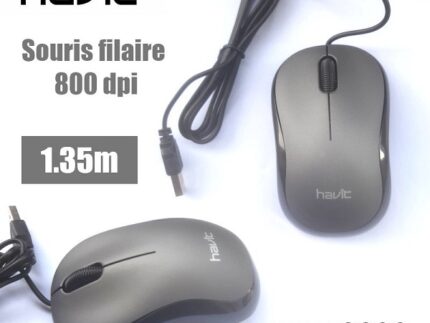

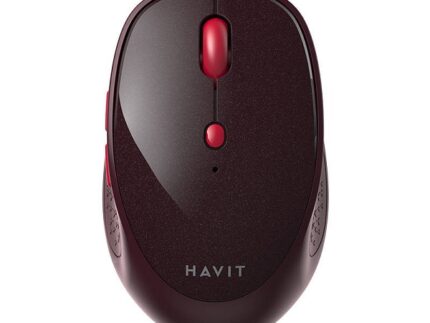
SOURIS HAVIT SANS FIL MS76GT BLUE-ROUGE (ROUGE PAS DISPO)
Caractéristiques principales
Technologie sans fil : 2,4 GHz.
Distance sans fil : 10m.
Numéro de clé : 6.
Résolution : 800-1200-1600DPI.
Durée de vie de la clé : 3 000 000 fois.
Alimentation : 1 x AA (les piles alcalines sont recommandées)
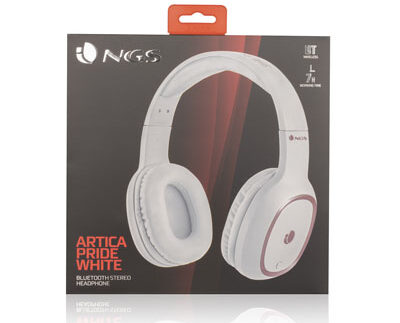

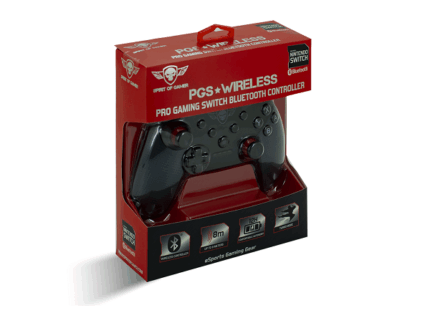
SPIRIT OF GAMER PGS BLUETOOTH MANETTE SANS FILL
-
COMPATIBLE NINTENTO SWITCH la manette sans fil Bluetooth est un véritable atout pour prendre le dessus sur vos adversaires. Son design ergonomique offre une prise en main idéale avec son Grip control.
-
JOUEZ EN TOUTE LIBERTÉ ! Profitez pleinement de vos parties de jeux sans risquer d'être encombré par un câble, la manette est Bluetooth et offre une distance de fonctionnement jusqu’à 10 mètres.
-
AUTONOMIE 12H Cette manette très agréable à prendre en main propose une autonomie confortable allant jusqu'à 12h. Le rechargement s'effectue facilement via un câble de 1.2 mètre.
-
FONCTIONNALITES : Vous avez accès direct aux fonctions de votre Switch : Menu –, Menu +, Capture d’écran… Et aussi une fonction spéciale Turbo pour répéter à l’infini la touche configurée !
-
GAMEPLAY Retrouvez également 16 boutons numériques ainsi que des moteurs à vibration pour plus de sensations, gâchettes et bumpers…

LOGITECH USB SANS FIL MK270

Logitech Multi-Device Keyboard K380
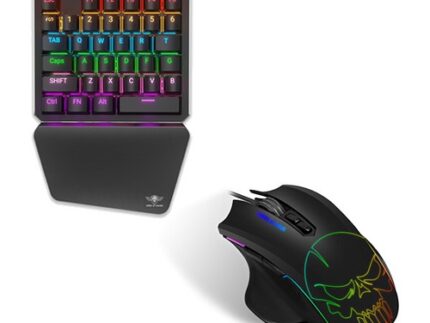
PACK SPIRIT OF GAMER XPERT-G700 MINI CLAVIER + SOURIS RGB M700
Mini clavier mécanique - Switches bleus - Repose-poignet - Rétroéclairage Rainbow + Souris gaming filaire - Capteur optique 3200 dpi - 7 boutons - Rétroéclairage RGB
Si vous possédez des consoles mais que vous souhaitez jouer sur ces dernières comme sur PC à l'aide d'un pack clavier/souris adapté, cet assortiment Spirit Of Gamer Xpert Gameboard représente un choix solide avec un mini-clavier G700 et une souris M700 pour vous aider à décrocher la victoire.

 Processeur
 Carte Mère
 Carte Graphique
 Mémoires
 Alimentation
 Boitiers
 Moniteurs/Ecrans
Avis
Il n’y a pas encore d’avis.